Overall Introduction
This is the world's leading video character product. It provides enterprise customers with a new generation of enterprise-grade character services that are near-real-time, interactive, and feature bidirectional perception. It helps customers quickly deploy video AI characters in scenarios such as social, e-commerce, gaming, and education—characters that "can interact, perform, perceive, and provide long-term companionship."
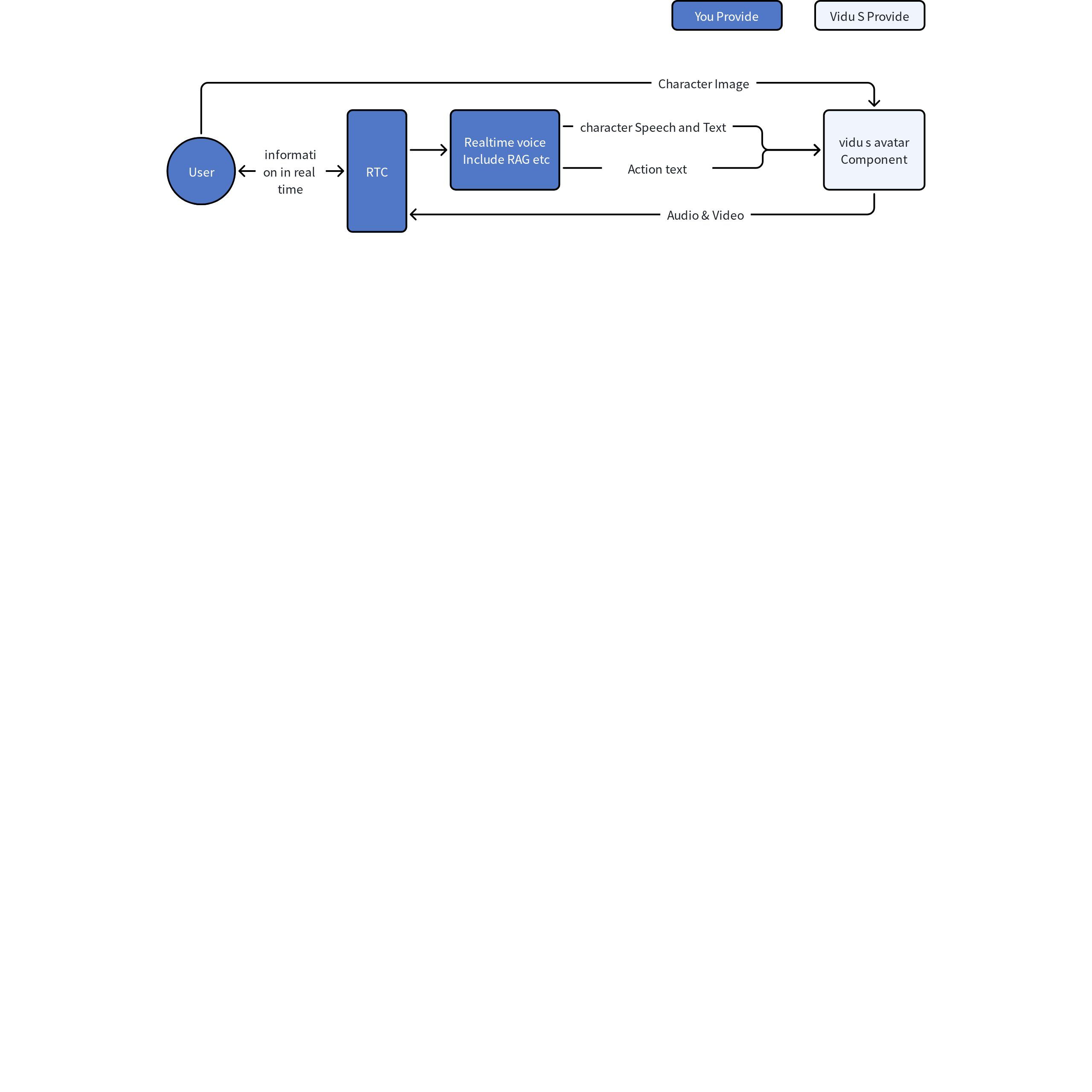
Minimal Integration Flow
Create a Session
Get API Key and you can create a session.
Request Example
Save the live.id in the response, which will be used for subsequent WebSocket calls, billing queries, and sending text messages. Save the rtc.token and rtc.user_id in the response, which will be used for joining AliRTC in Step 3.
Send Start Signal
First, establish a connection
Immediately after the connection is established, send conn_init:
Upon receiving conn_init_ack.success=true, the control channel initialization is complete. In video mode, if you receive NOT_READY, wait 3 seconds before retrying conn_init.
Join the RTC Channel
The Alibaba Cloud RTC SDK is used for audio and video transmission. See Alibaba Cloud RTC SDK Documentation.
Playing the character also requires subscribing to the remote audio and video streams, and binding the remote video container after the subscription status becomes subscribed.
API Protocol Overview
Full Integration Flow
- Create a Live session (HTTP)
- Obtain RTC join info and live_id
- Establish two channels simultaneously: WebSocket sends the start signal (control) + AliRTC joins to send and receive audio/video (media)
- Start interacting once both parties are ready
- Send a hang-up signal and leave the channel when finished
API Overview
The table below lists all public APIs. All APIs require Authorization: Token vda_xxx.
| Method | Path | Purpose |
|---|---|---|
| POST | /live/s_avatar/realtime | Create a Live session (core entry point, returns RTC join info and WS initialization info) |
| GET | /live/v1/lives/{live_id} | Query the status and billing of a single Live session |
| GET | /live/v1/lives | List Live sessions |
| GET | /live/v1/lives/{live_id}/recording | Query the recording file download URL for the entire call (new) |
| WebSocket | /live/ws/live/connect | App control signaling (start / text / interrupt / hang up) |
| — | AliRTC joinChannel | Real-time media stream (microphone / camera / character audio/video) |
| POST | /live/v1/voices/clone | Voice clone, create custom voice |
| GET | /live/v1/voices | Query custom voice list |
| POST / PUT | /tools/v2/files/uploads | Image upload |
General Conventions
| Item | Convention |
|---|---|
| {host} | {host} is the domain name without a protocol. The domestic environment uses api.vidu.cn, and the overseas environment uses api.vidu.com. HTTP requests use https://{host}, and WebSocket uses wss://{host}. |
| Authentication | All App-side HTTP and WebSocket APIs require Authorization: Token vda_xxx. The API Key can be obtained from the API Key. |
| JSON Fields | Request and response fields use snake_case, e.g. call_mode, live_id, token_expire_at. |
| IDs and Time | live_id, character_id, created_at, token_expire_at and other int64 fields are recommended to be processed as strings on the frontend to avoid JavaScript number precision issues. |
| Media Transmission | App WebSocket only carries control signaling; the microphone, camera, and character audio/video are all transmitted through AliRTC. |